
Secure Cloud Storage for Your Business
Store, sync, and share company files securely from anywhere with a cloud platform designed for modern teams.
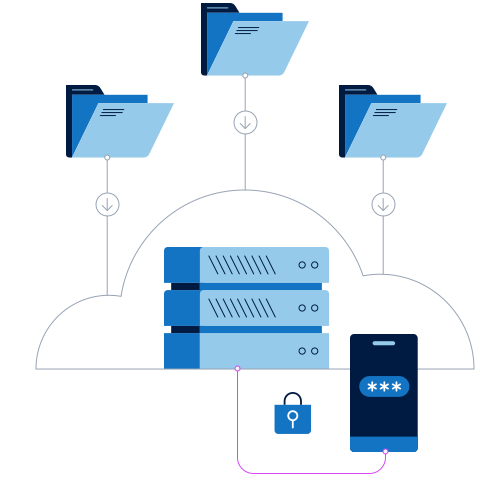
Your Business Files, Always Within Reach
Securely store, access, sync, and share company files from anywhere, on any device—keeping your team connected, organized, and productive wherever they work.
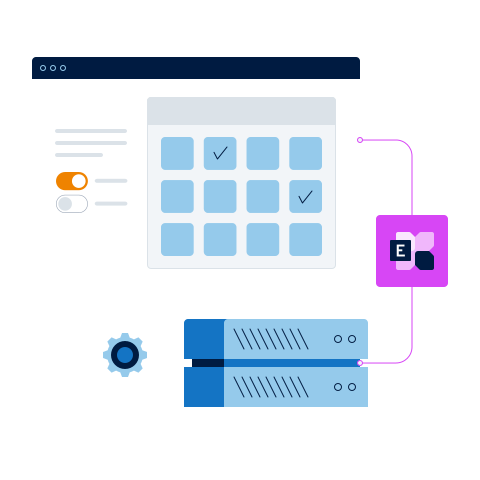
Encryption and two-factor authentication
Two-factor authentication for higher access security. As well as your password, you'll get a code generated by an authentication app which you can install on your smartphone.
Choose Your Cloud Storage Plan
Flexible shared storage plans for growing businesses and teams, including professional configuration, account management, and personalized U.S.-based support.
Drive 500
- 500 GB share storage
- + 5 GB Additional Per User
- Additional Users: $4/month
- Desktop and mobile access
- Automatic cloud backup
- Two-factor authentication
Drive 1000 - SMB Select
- 1TB share storage
- + 5 GB Additional Per User
- Additional Users: $4/month
- Desktop and mobile access
- Automatic cloud backup
- Two-factor authentication
Drive 3000
- 3 TB share storage
- + 10 GB Personal Storage
- Additional Users: $5/month
- Desktop and mobile access
- Automatic cloud backup
- Two-factor authentication
Drive 5000
- 5 TB share storage
- + 10 GB Personal Storage
- Additional Users: $5/month
- Desktop and mobile access
- Automatic cloud backup
- Two-factor authenticatio
Frequently Questions
What are some use case examples of NovumCloud Drive for business and private usage?
Important business documents, presentations, images, and project files are often stored on individual devices. If a computer is lost, stolen, or damaged, valuable company data may be at risk. NovumCloud Drive securely stores your files in the cloud, making them accessible from another device whenever needed.
Your team can securely store and organize documents, photos, videos, contracts, and other business files in one centralized location. Employees can access the information they need from the office, at home, or while traveling.
NovumCloud Drive also makes collaboration easier. Team members can access shared folders, work with the same files, and share large documents securely without relying on email attachments. Access permissions ensure that only authorized users can view or modify company information.
How do we keep your data secure with Storage Share?
The Storage Share file system can tolerate several simultaneous drive failures. As soon as we detect any irregularies with our drives, we will exchange them immediately, thereby further decreasing the chance of failure to a very low level.
In addition, our Storage Share file system checks the integrity of the data using checksums and automatically corrects errors. We've created high-availability cluster for the instance databases, making the chances of a complete failure very minimal. A backup is also performed automatically several times a day. Finally, if you choose to synchronize your Storage Share data with your own computer or device using client software, you will have an additional copy of your data.
Which Devices Support NovumCloud Drive?
NovumCloud Drive works across multiple devices and operating systems. Access your files through the mobile app, desktop synchronization software, or directly from a web browser—whether you are in the office, working remotely, or traveling.
- Mobile apps: Available for iOS and Android smartphones and tablets, allowing you to access, upload, and share files while on the go.
- Desktop applications: Compatible with Windows, macOS, and Linux. Automatically synchronize selected folders between your computer and NovumCloud Drive.
- Web browsers: Securely access your files from any modern web browser without installing software—ideal when working from another computer or device.
What Types of Data Can I Store, and What Are the Limits?
NovumCloud Drive supports virtually all common file types, including Word and Excel documents, PDFs, images, videos, design files, presentations, and many other business formats. Your team can securely organize and access everything from one central location.
Large files can also be uploaded, stored, and shared. Your total available capacity depends on your selected storage plan, while individual file-size limits may vary based on system configuration and the method used to upload the file.
You can create and organize large numbers of files and folders. When your business needs additional capacity, you can upgrade to a larger NovumCloud Drive plan.
What Internet Connection Do I Need for NovumCloud Drive?
NovumCloud Drive works with any reliable internet connection, including Wi-Fi, wired Ethernet, and mobile data. However, uploading large files or synchronizing multiple devices will be faster with a high-speed connection.
The recommended speed depends on your file sizes, number of users, and how frequently your team synchronizes data. A stable, fast connection will provide the best experience.